Ultimate Guide to Snapchat Lenses: How to Use, Create & Explore the Best Effects
Snapchat Lenses make your selfies, pictures and videos more creative, and interactive. Whether you want to look like a cute dog, try makeup looks, or create your own AR experience, Lenses have something for everyone. In this guide, I’ll show you how to use them, where to find new ones, and even how to make your own.
What Are Snapchat Lenses?
Snapchat Lenses are augmented reality (AR) effects. These Lense can change how you look or interact with your environment. Some Lenses add animations to your face, while others create full 3D scenes around you.
Difference Between Snapchat Lenses and Filters
Snapchat filters are just overlays that allow you to change the color or add text to your snap. Lenses, on the other hand, use AR to animate your face or surroundings in real time.
Want to explore more fun ways to transform your Snaps? Don’t miss our Complete Guide on Best Snapchat Filters packed with the best picks, categories, and tips to create your own filters!
How to Use Snapchat Lenses
Using Snapchat Lense is a very easy task. You just need to open your camera and a face to start. With just a simple tap you can unlock many effects.
How to Add and Use Snapchat Lenses
Getting started with snapchat lenses is easy. Check these steps how to add snapchat lenses:
- Open the Snapchat app.
- Just tap on your face after opening the camera to activate the Lens.
- Swipe through to see different Lenses.
- Tap to try one, then hold the record button to snap or film.
How to Get More Snapchat Lenses
You can also unlock unique Lenses by scanning Snapcodes shared by friends, creators, or brands. If you want more effects:
Creating Your Own Snapchat Lenses
Want to design your own effects? Snapchat gives you options to create your own Snapchat Lenses by using its tools like Lens Studio and the Snap Web Builder no advanced skills needed.
What is Snapchat Lens Studio?
Snapchat Lenses Studio is a free app that allows you to design or create your custom Lenses. You can find it by searching for Snapchat Lens Studio login or visiting the Snap website.
How to Create Your Own Snapchat Lenses
To make your own Lens:
- Download Lens Studio.
- Select a template.
- Add your 3D models, animations and effects.
- Preview it and publish!
Even beginners can make simple Lenses with a few clicks.
Snapchat Lens Creator Tools
Snapchat also offers a tool called Snap Lens Web Builder, a browser based option for quick Lens creation. You can also join the Snapchat Lenses Creator Rewards Program if your Lens gets popular.
Earning with Snapchat Lenses
Snapchat offers earning opportunities for lens creators. Through the Lens Creator Rewards Program, Snapchat pays for the Lense crater top performing lenses. The more people use your Lens, the more rewards you could receive.
Popular Types of Snapchat Lenses
Explore all kinds of Lenses made for fun, pets, or interactive play.
Snapchat Lenses for Dogs
Yes Snapchat has Lenses specially made for your furry friends! These work on dog faces, adding effects like hats, sunglasses, or silly eyes.
- Snapchat Dog Lenses
- Different from pet specific effects, these Lenses turn you into a dog with floppy ears, cute noses, and funny sounds. They are among Snapchat’s most loved Lenses.
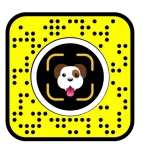
Dog Scanner Lens
The Dog Scanner Lens by Snapchat lets you identify dog breeds using your camera. Just scan the Snapcode and point your camera at any dog to see the breed instantly.
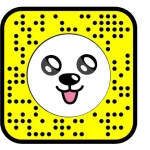
Original Dog Lens
The classic Snapchat dog face filter with floppy ears, big puppy eyes, and a tongue that pops out when you open your mouth—nostalgic, adorable, and endlessly shareable.
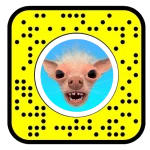
Weird Dog Lens
quirky Snapchat filter that transforms your pup into a bizarre, cartoonish version, think elongated features, wacky colors, and playful distortions, guaranteed to spark laughs.
New Snapchat Lenses
Snapchat adds new Lenses daily. Use the Lens Explorer to find:
- Trending Lenses
- Seasonal effects (like Halloween or Valentine’s Day)
- Celebrity inspired Lenses


Best Snapchat Lenses
Here are a few of the best Snapchat Lenses to try:



You can try these by searching in the Lens Explorer or browsing the trending section.
Snapchat Lenses for Cats
Just like dogs, there are Lenses for your cat too! Try cat face tracking filters that add sparkle eyes, cute glasses, or animated effects.
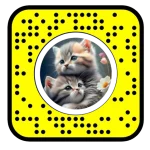
Snapchat Lenses AR Effects
Many Snapchat Lenses use advanced AR to do cool things like:
These show off how powerful AR can be in everyday fun.
Snapchat Lens Games and Interactives
Play games right inside a Lens! Move your head or blink to play. Popular interactive Lenses include obstacle dodging games, dress up, and quizzes.
Snapchat Planet Lenses
Snapchat Planet Lenses are a fun twist on the Solar System Snapchat feature, turning each planet into a unique AR filter or lens. These filters reflect the theme and personality of each planet:
- Mercury Lens: Fast-moving, fiery effects with cosmic speed trails—symbolizing your #1 best friend.
- Venus Lens: Romantic pink tones, Snapchat hearts sparkles, and soft glow—perfect for close, affectionate connections.
- Earth Lens: Earthy overlays with clouds, trees, and a global view—representing stable, everyday friendship.
- Mars Lens: Bold reds, rocky textures, and energetic animations—ideal for fiery or competitive friendships.
- Jupiter Lens: Giant planetary rings, swirling storms, and a majestic vibe—reflecting your longest-running snapchat streaks.
- Saturn Lens: Iconic golden rings and celestial sparkles—suggesting loyalty, distance, or evolving bonds.
- Uranus Lens: Cool blue tones, icy overlays, and quirky rotations—great for unique or offbeat friendships.
- Neptune Lens: Deep ocean blues and dreamy visuals—used for distant or rarely active friends in your orbit.
Comparison Table: Types of Snapchat Lenses
Lens Type | Description | Fun Features |
Face Lenses | Change your facial appearance with AR masks, makeup, or expressions | Cartoon, baby, beauty, swap, effects |
World Lenses | Add 3D AR elements to your surroundings | Characters, objects, floating text |
Animal Lenses | Turn your face into animals like dogs or cats | Ears, noses, tongue animations |
Game/Interactive Lenses | Let you play mini-games using gestures or motion | Blinking games, dodging objects |
Voice-Changing Lenses | Modify your voice while you speak | Robot, helium, monster voice filters |
Makeup & Beauty Lenses | Virtual try-on for makeup, hair, and skin smoothing | Lipstick, eyeliner, filters |
Event/Holiday Lenses | Themed for special days and seasonal fun | Halloween masks, Christmas hats |
Snapchat Bitmoji Lenses | Feature your 3D Bitmoji in animated scenes | Dance, skateboard, or talk scenes |
Landmarker Lenses | Activate only at specific real-world landmarks | Eiffel Tower, Statue of Liberty effects |
Group Lenses | Designed to work with multiple people in the same snap | Face effects for everyone at once |
Frequently Asked Questions (FAQs)
Final Thoughts
Snapchat Lenses are more than just fun effects, they’re a powerful tool to express yourself, enhance creativity, and make your snaps stand out. In this guide, we’ve covered everything from how to use and create Lenses to exploring popular types like animal filters, voice changers, interactive games, and more.
We’ve also explained the different categories of Snapchat Lenses in detail, including the unique and fun Snapchat Planet Lenses, which reflect your friendship rankings in creative AR styles.
We hope this guide helped you better understand Snapchat Lenses and inspired you to try something new. Whether you’re snapping for fun or creating your own effects, the Lens world is full of possibilities!

I’m Vanessa Harrison, a Snapchat and social media specialist, as well as a content writer passionate about helping people make the most of their online presence. I create engaging, easy-to-follow content focused on Snapchat and social media trends, tips, and strategies. At Planet Snapchat, I combine my experience in social media with clear, informative writing to help readers stay updated and get the most out of their digital interactions.